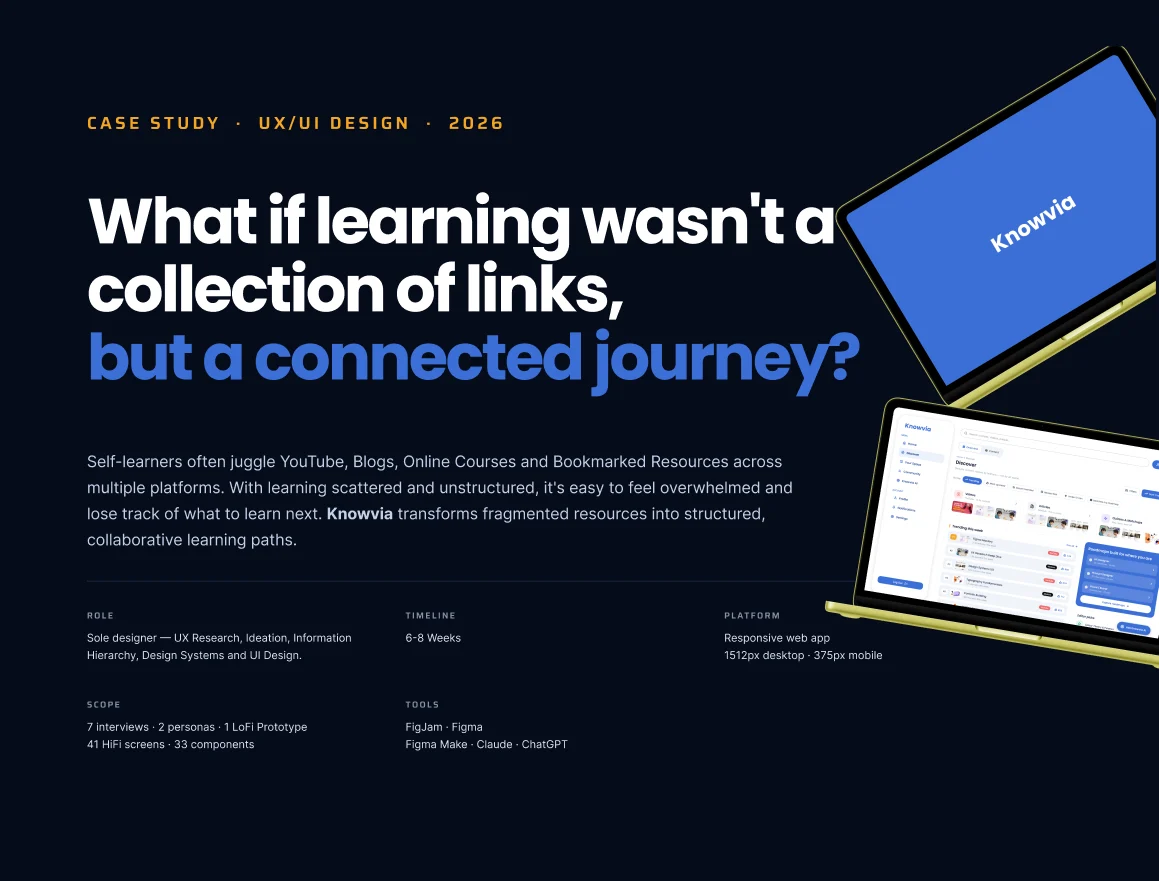
01/27 Cover — A connected journey

 Let's talk
What if learning wasn’t a collection of links, but a connected journey?
Summary
Self-learners juggle YouTube, blogs, online courses and bookmarks across many apps. The material isn’t the constraint — the learners said “I don’t know what to learn next” and “I save resources but never revisit them.”
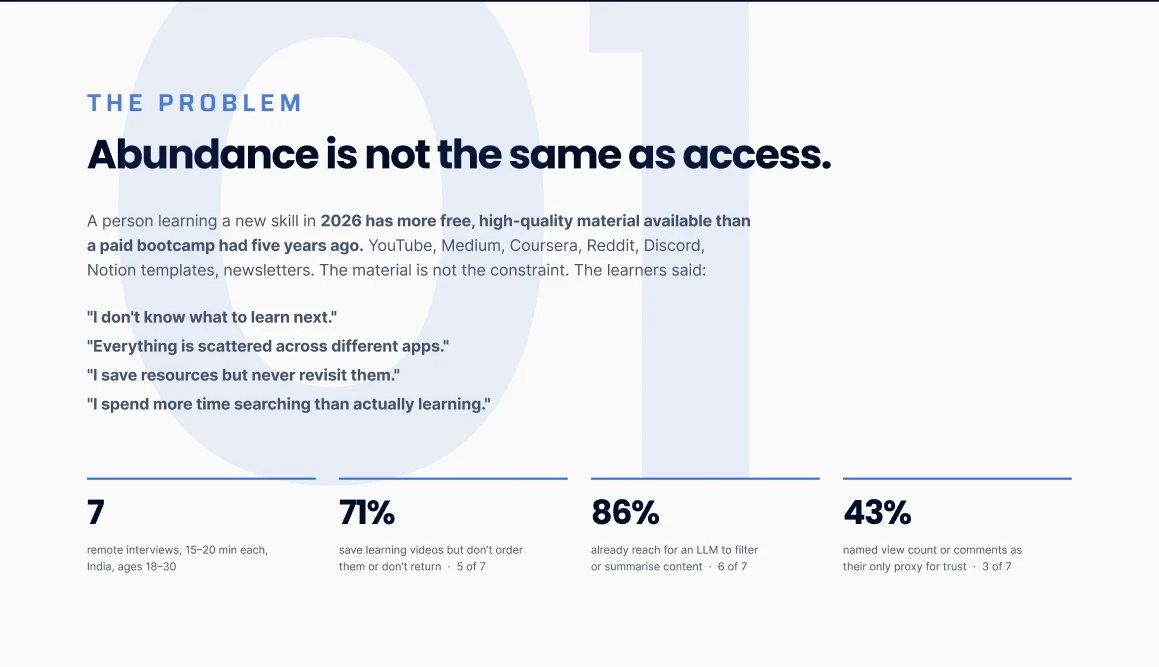
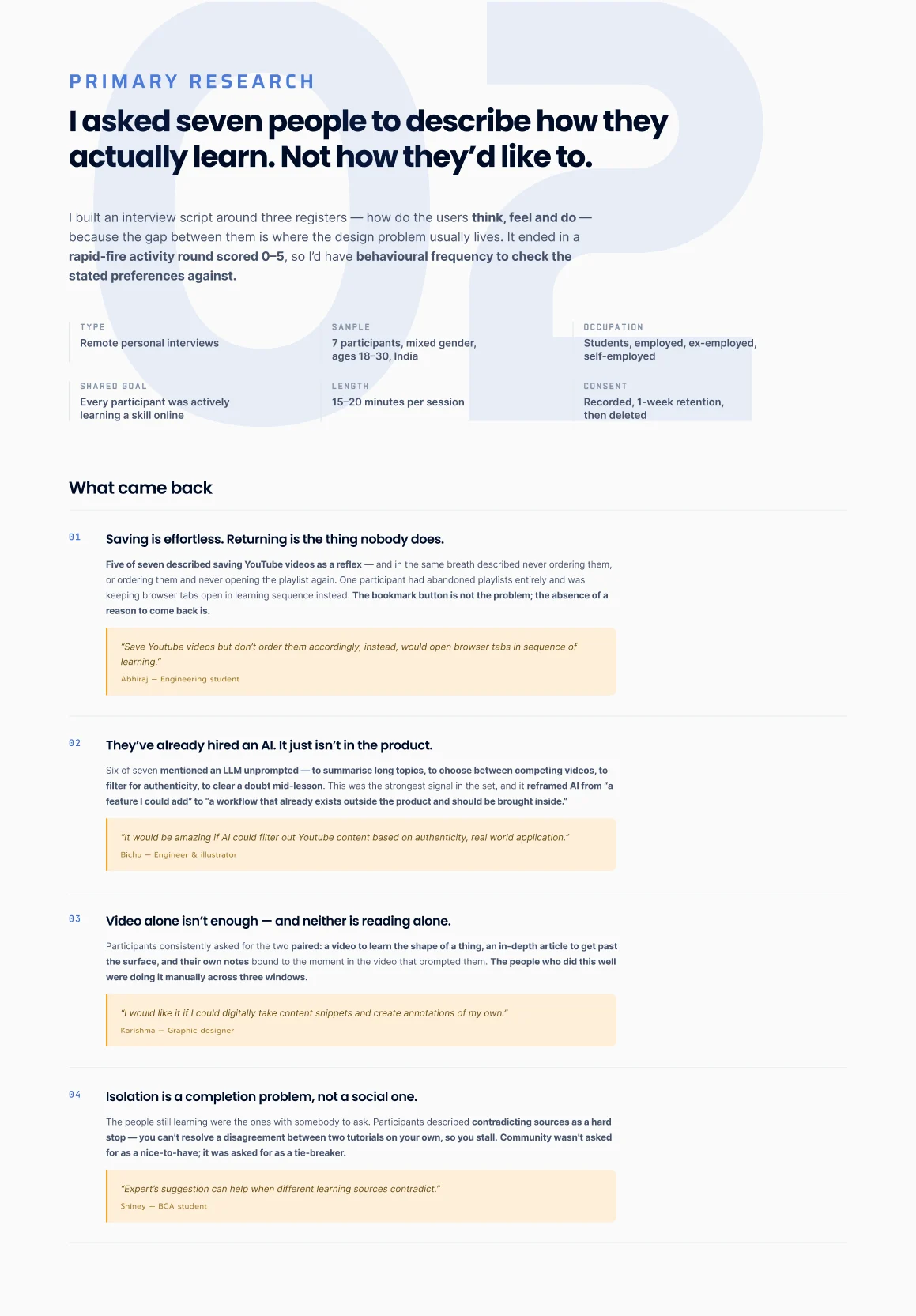
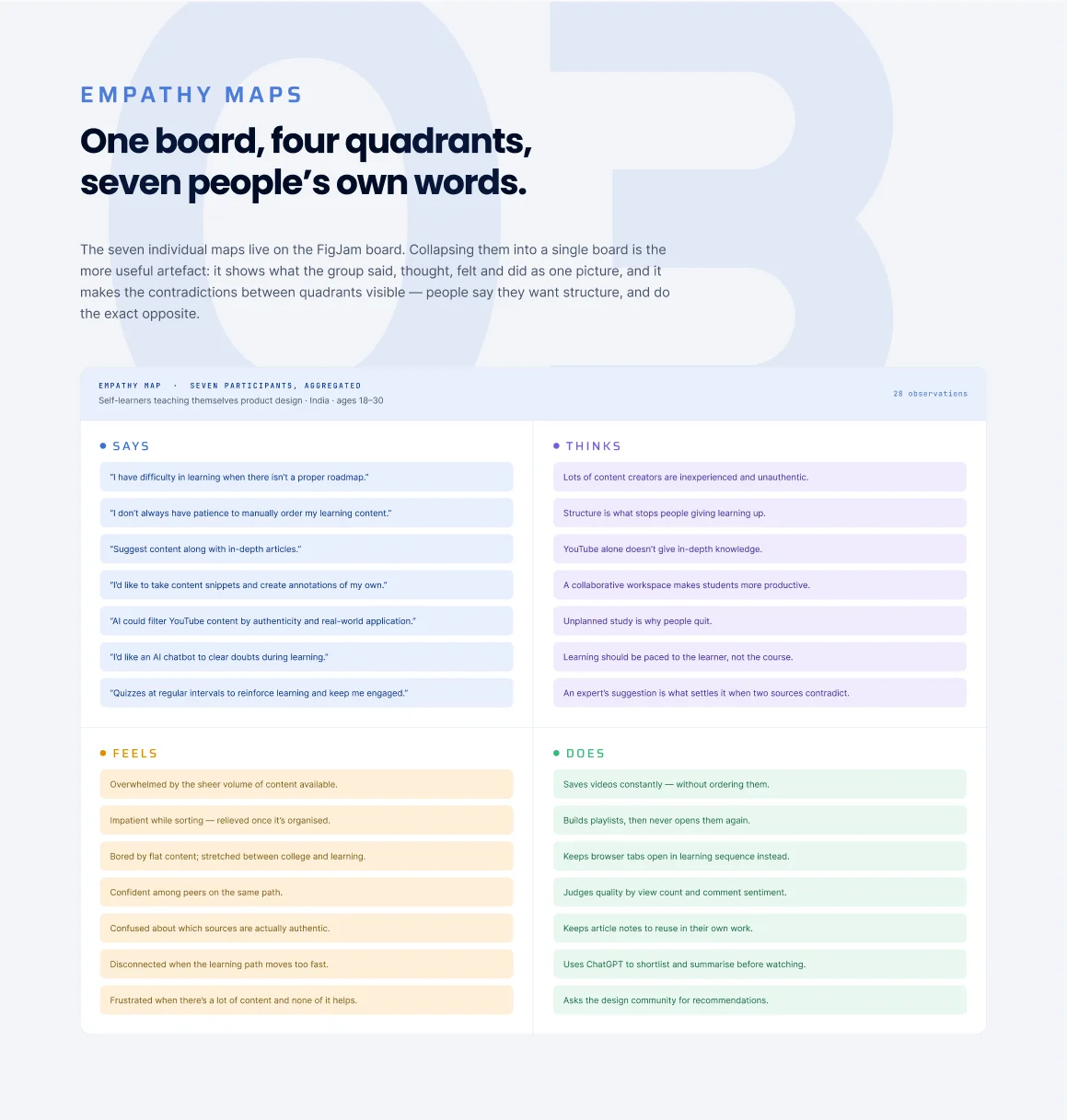
I ran 7 remote interviews (India, ages 18–30) ending in a rapid-fire round to check what people say against what they do. 5 of 7 save learning videos but never order or return to them, 6 of 7 already use an LLM to filter or summarise content, and 3 of 7 trust a video only by its views or comments. Empathy maps, two personas (Pranit, 25, a career switcher; Haneesha, 20, a student) and an audit of Notion, Discord, YouTube and Reddit showed each tool is great at one thing and bad at its opposite.
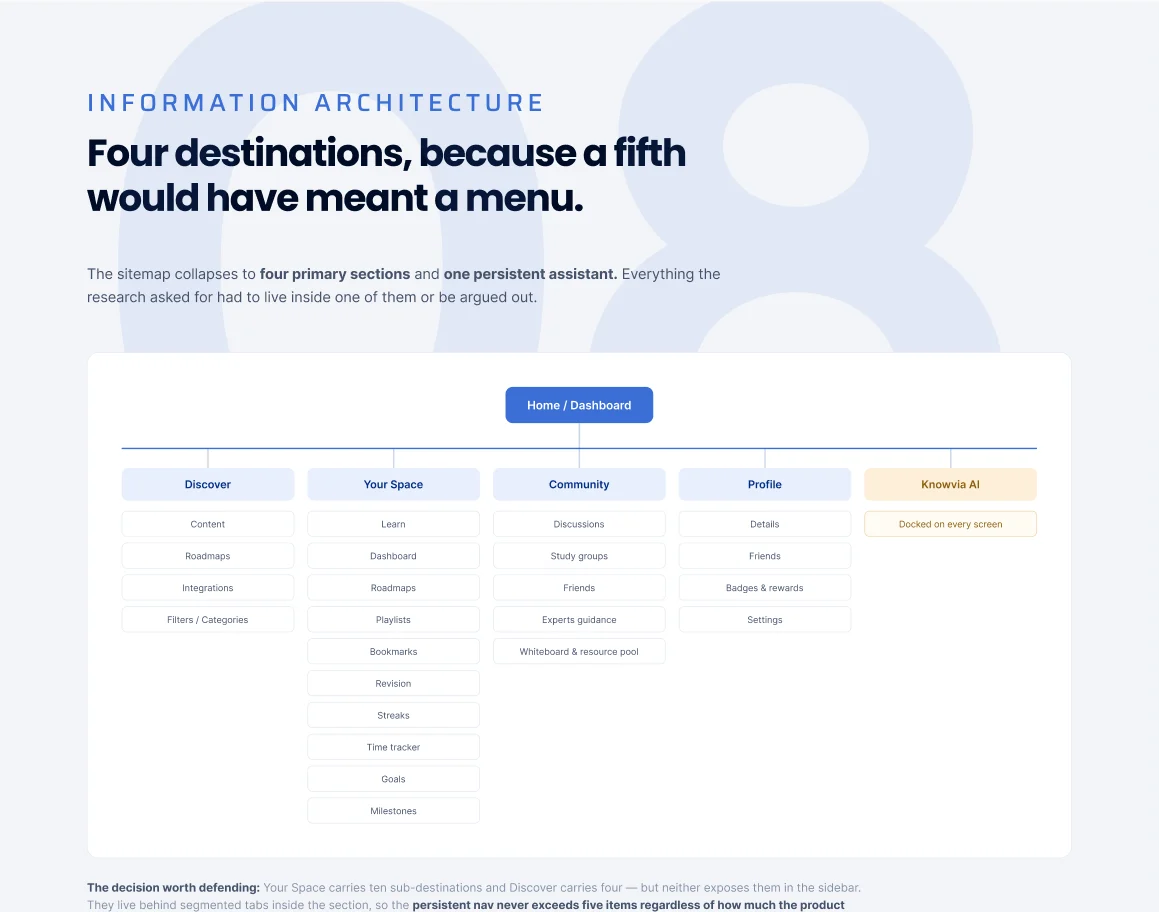
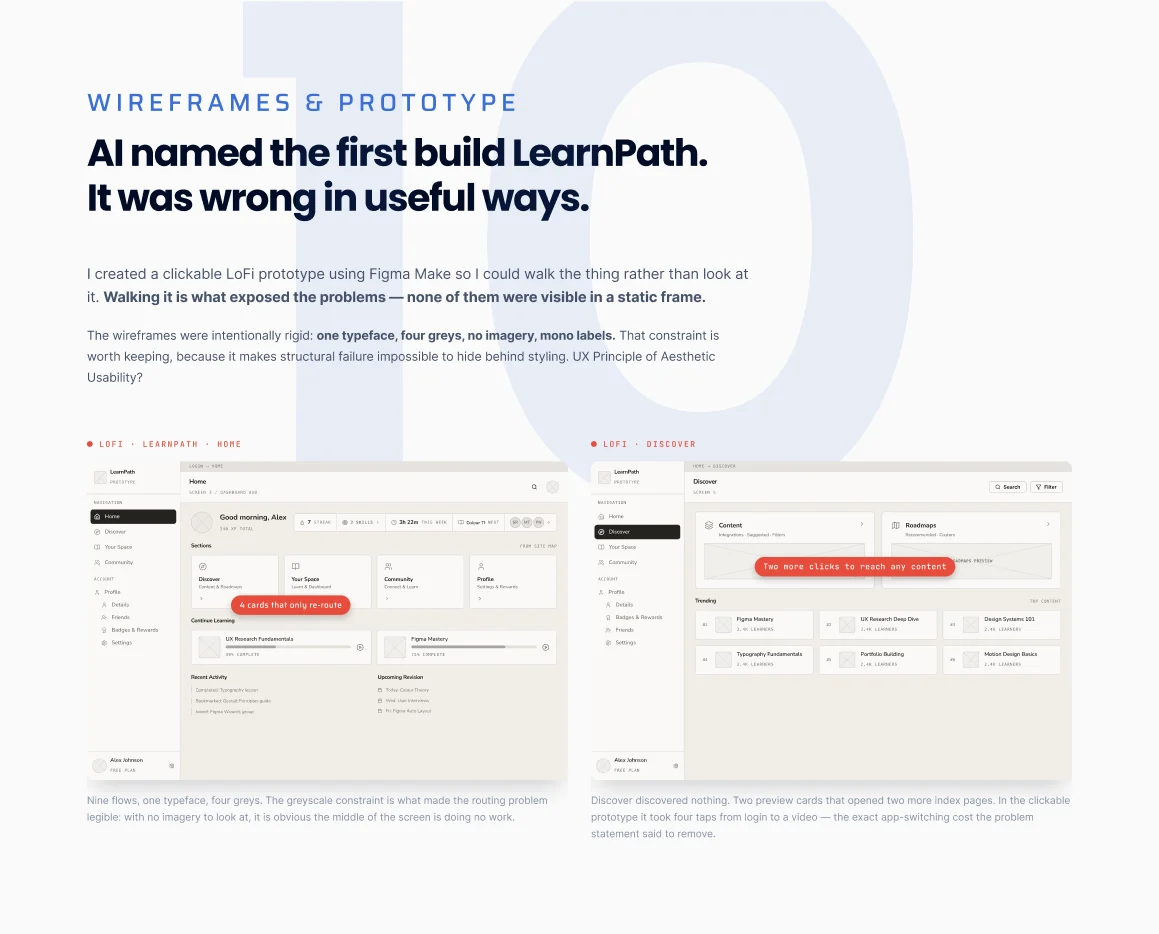
The reframe: I went in thinking this was a discovery problem — it was a returning problem. So the question became “how do we make the second session as easy to start as the first?” Sixty-odd ideas were cut to twelve on an impact/effort plot, the IA was held to four destinations plus a persistent AI, and a clickable lo-fi prototype (LearnPath) exposed four real failures before any UI was drawn. The final set is 41 screens on a token-based design system with light and dark modes.
Problem
Learners save everything and return to nothing — content is spread across apps with no sequence.
Insight
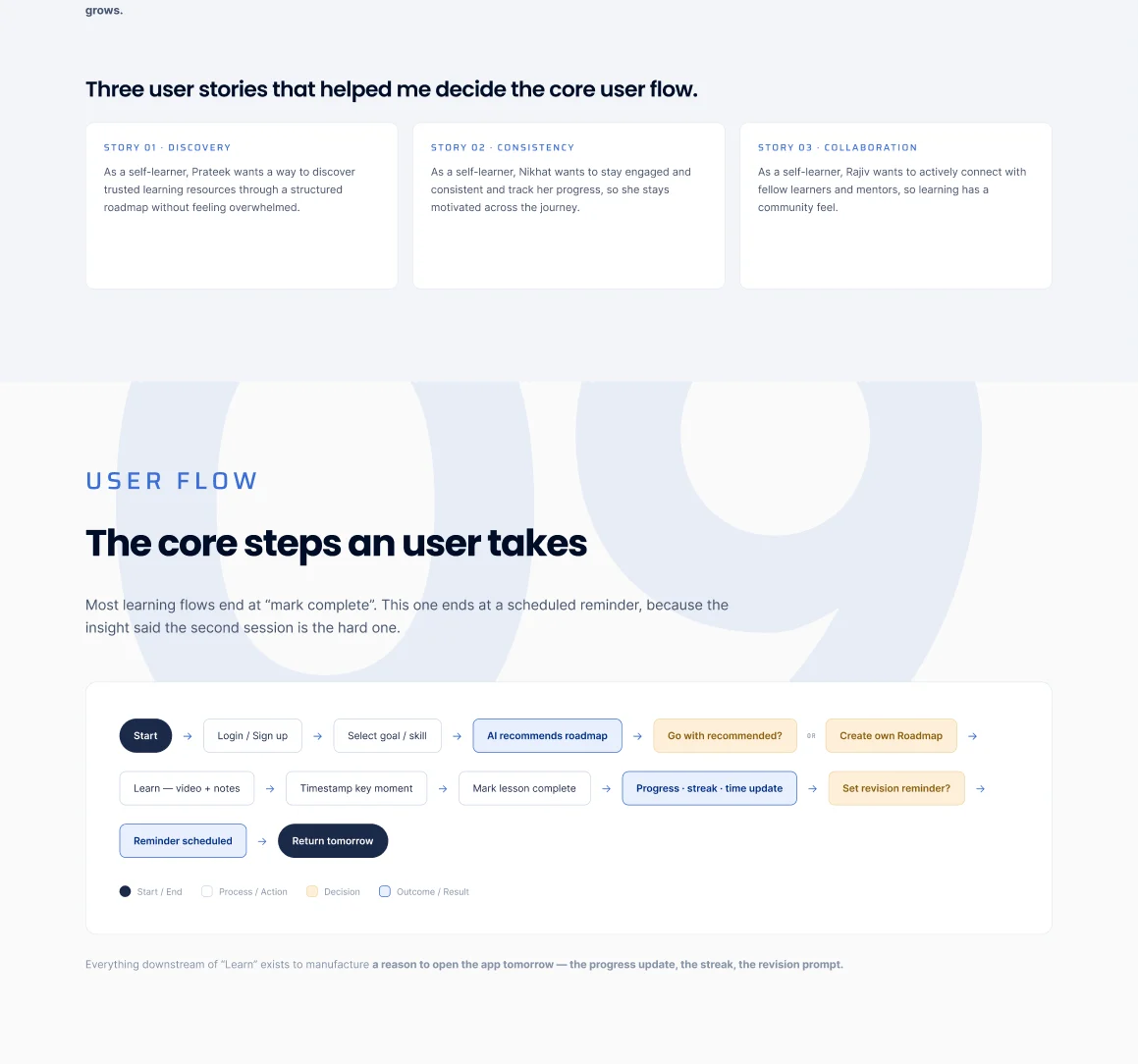
It isn’t a discovery problem, it’s a returning problem. Make the second session as easy to start as the first.
Outcome
A concept with a falsifiable thesis, measured by Day 2 / Day 7 return, saved-to-consumed ratio and roadmap step completion.
Scroll — each slide stacks on the last.
01/27 Cover — A connected journey
02/27 The problem — Abundance is not access
03/27 Primary research — How seven people actually learn
04/27 Empathy maps
05/27 Personas — The switcher and the student
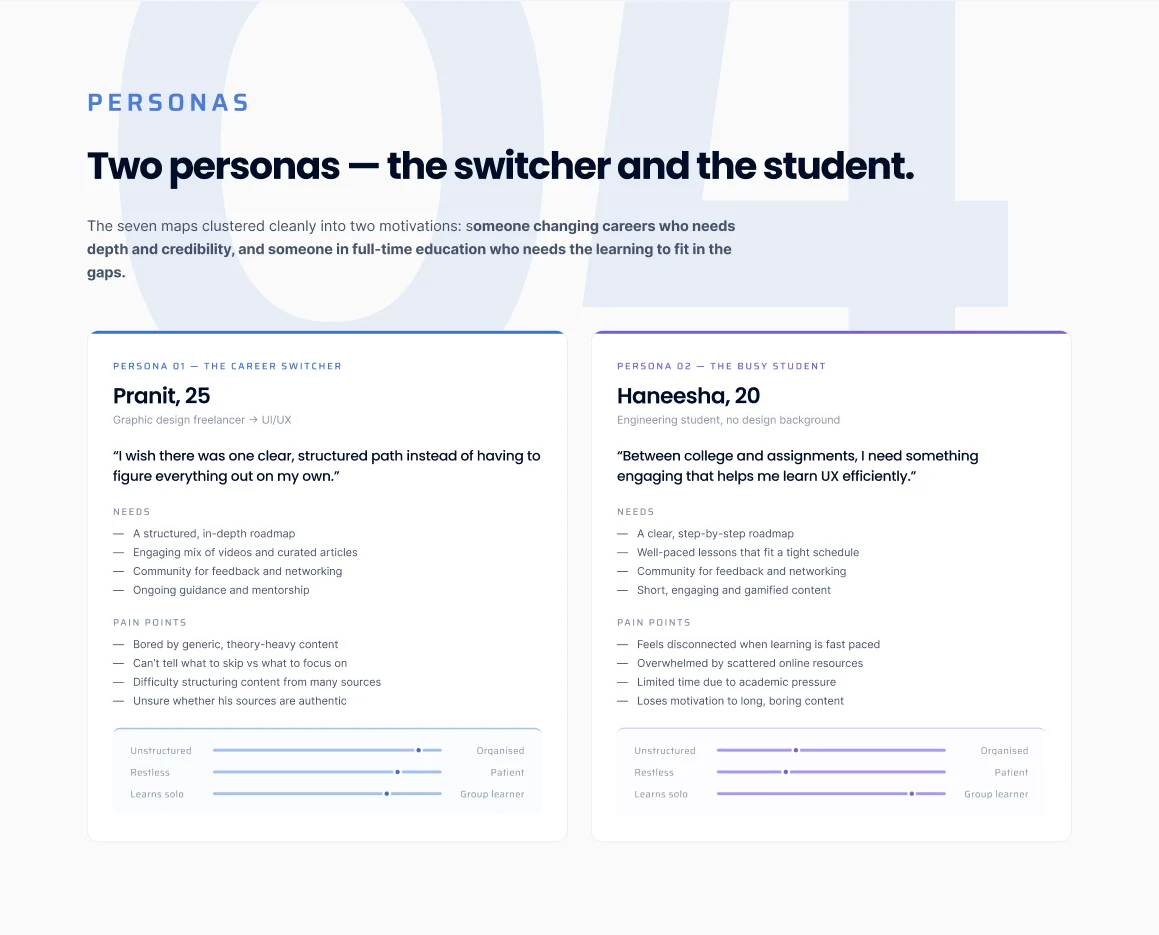
06/27 Secondary research — Four competitors
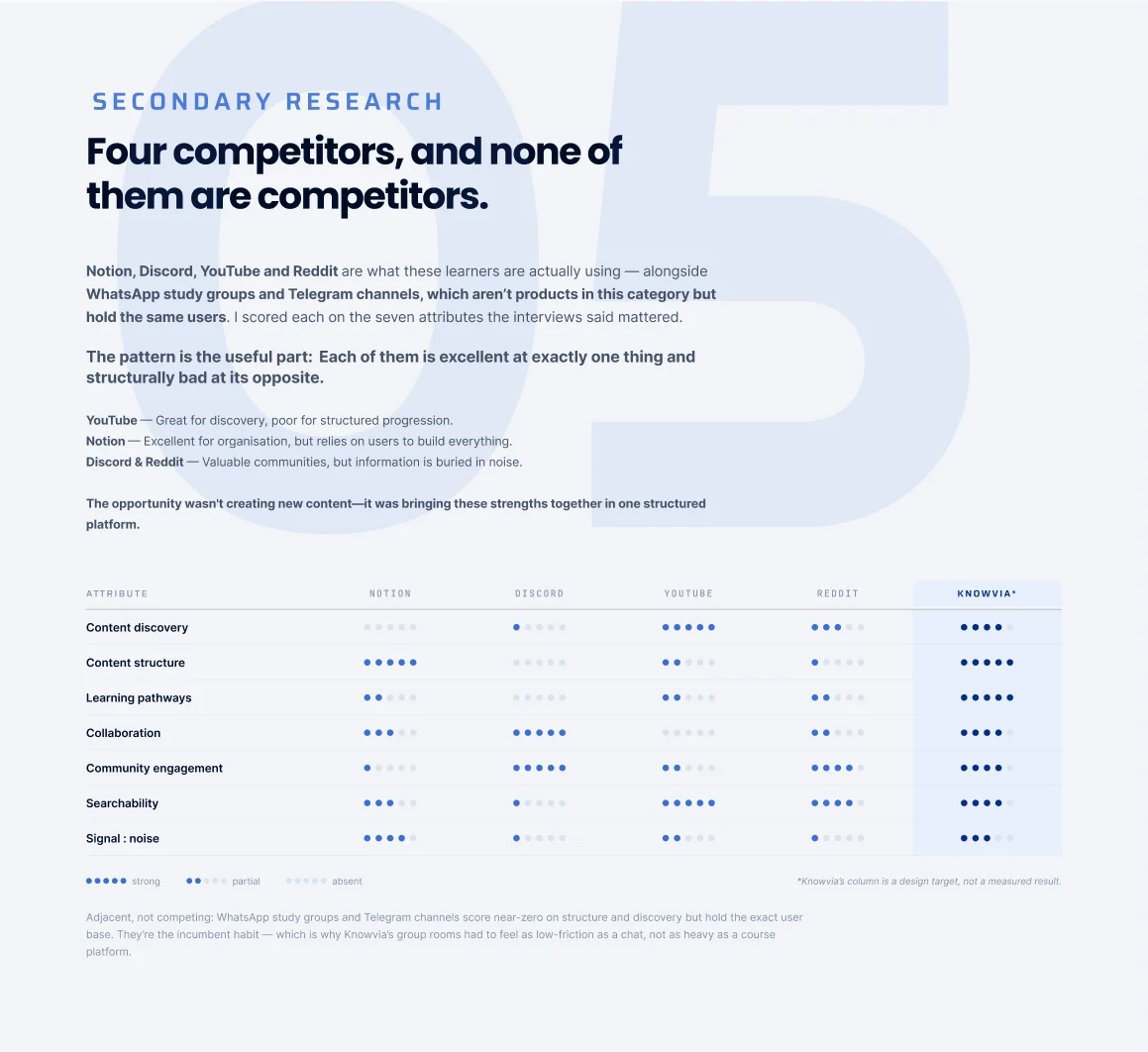
07/27 The reframe — A returning problem
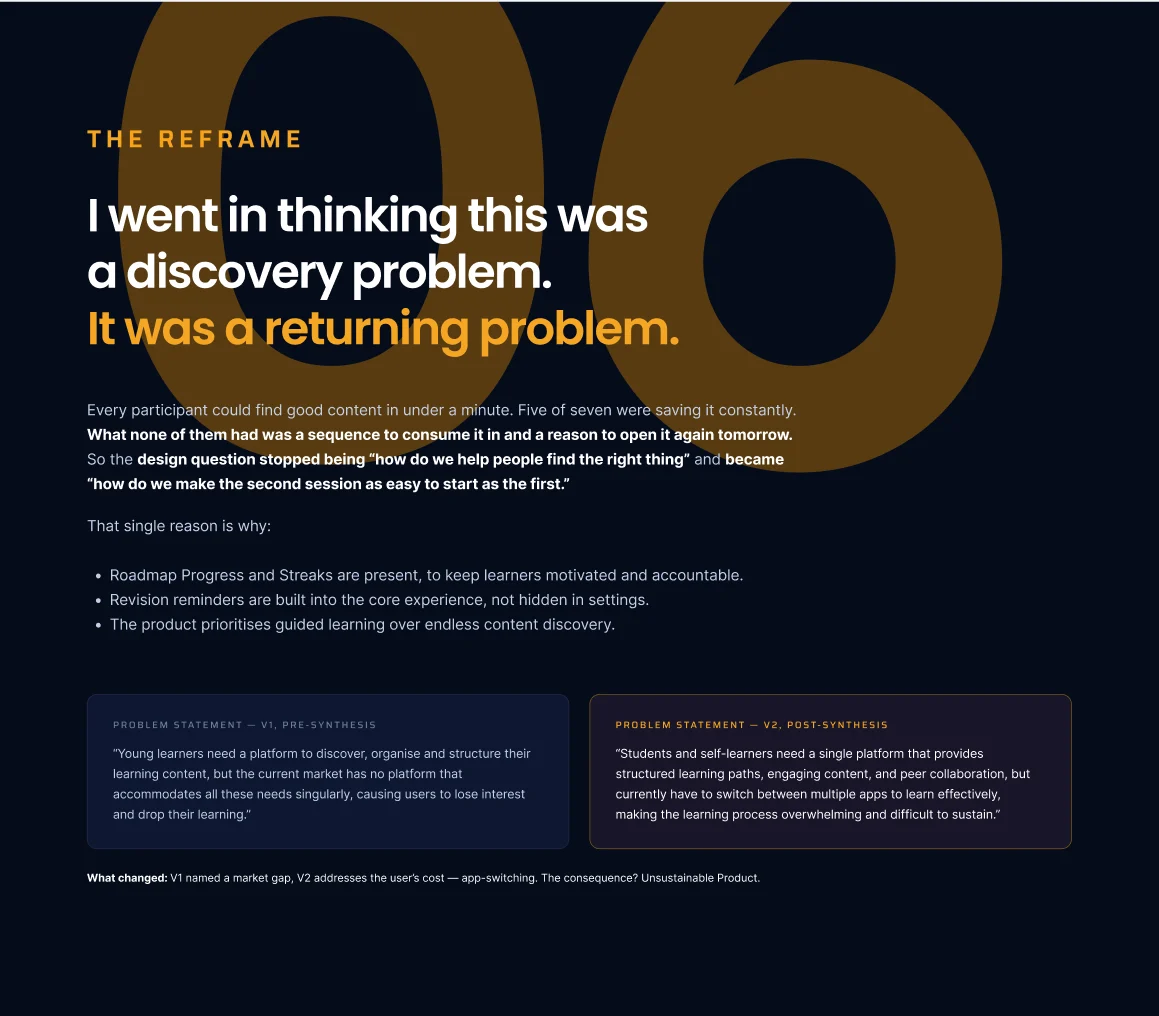
08/27 Ideation & prioritisation
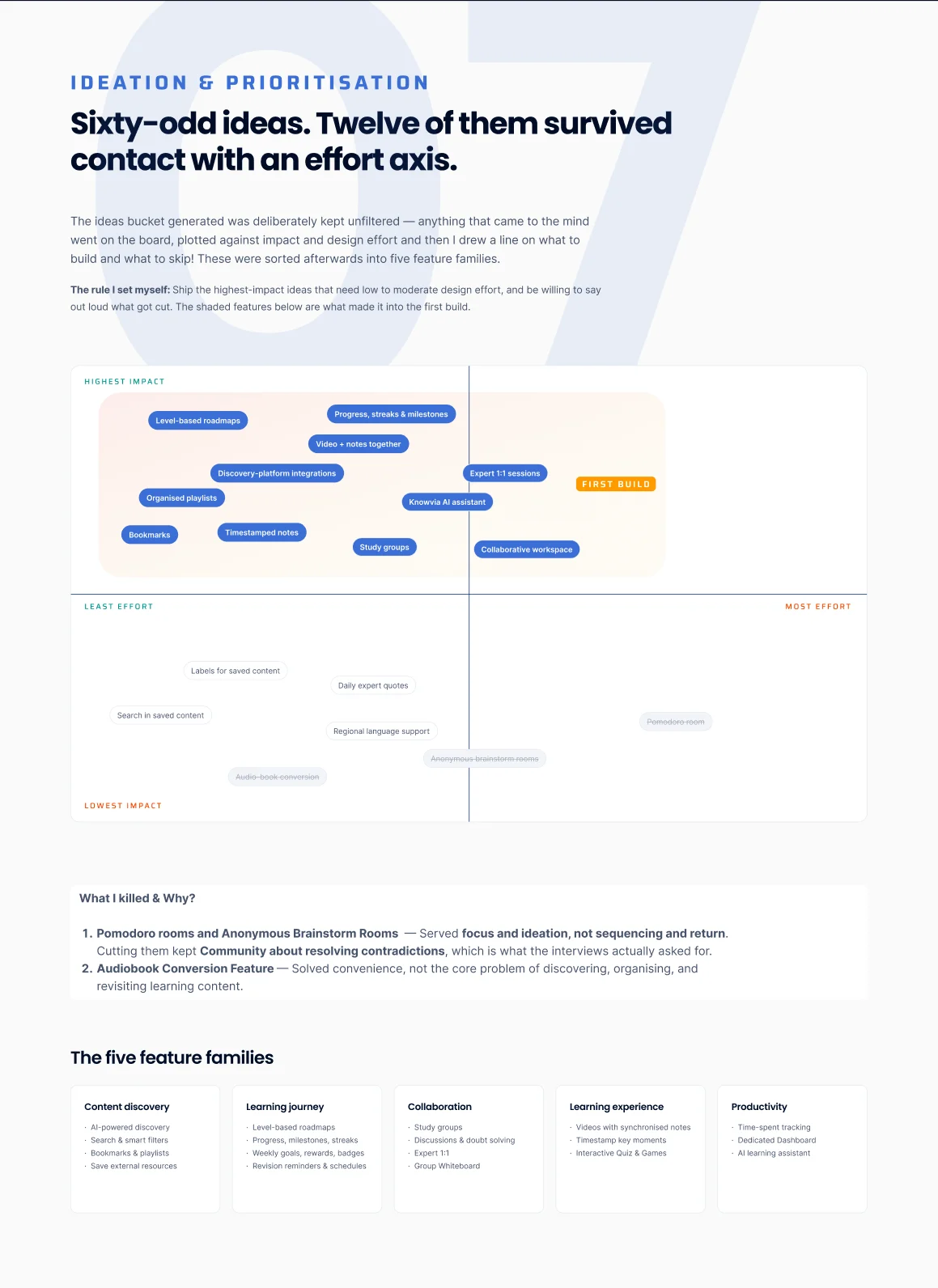
09/27 Information architecture — Four destinations
10/27 User stories & core flow
11/27 Wireframes & prototype — LearnPath
12/27 Design system — Named for what they do
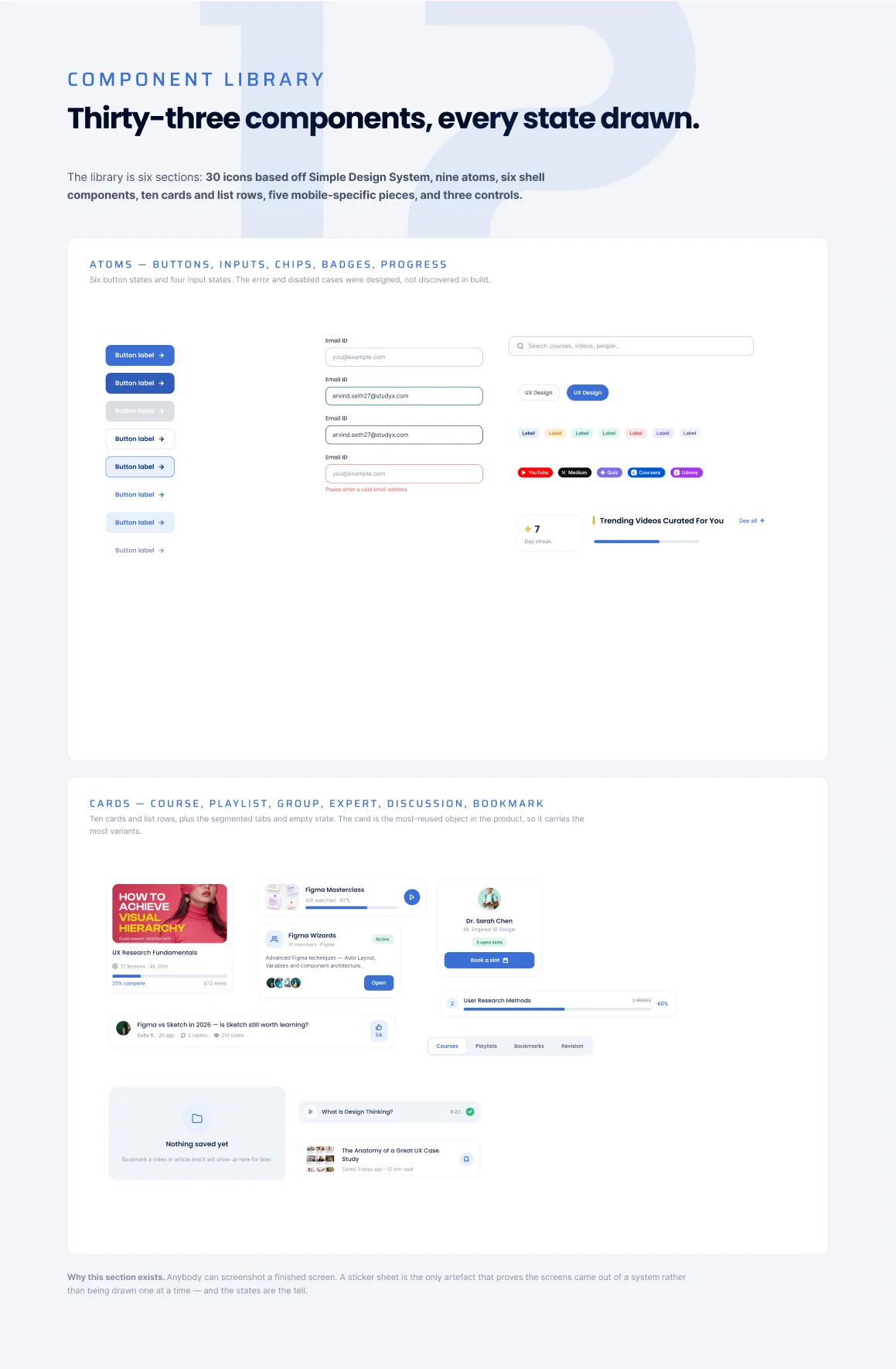
13/27 Component library — 33 components
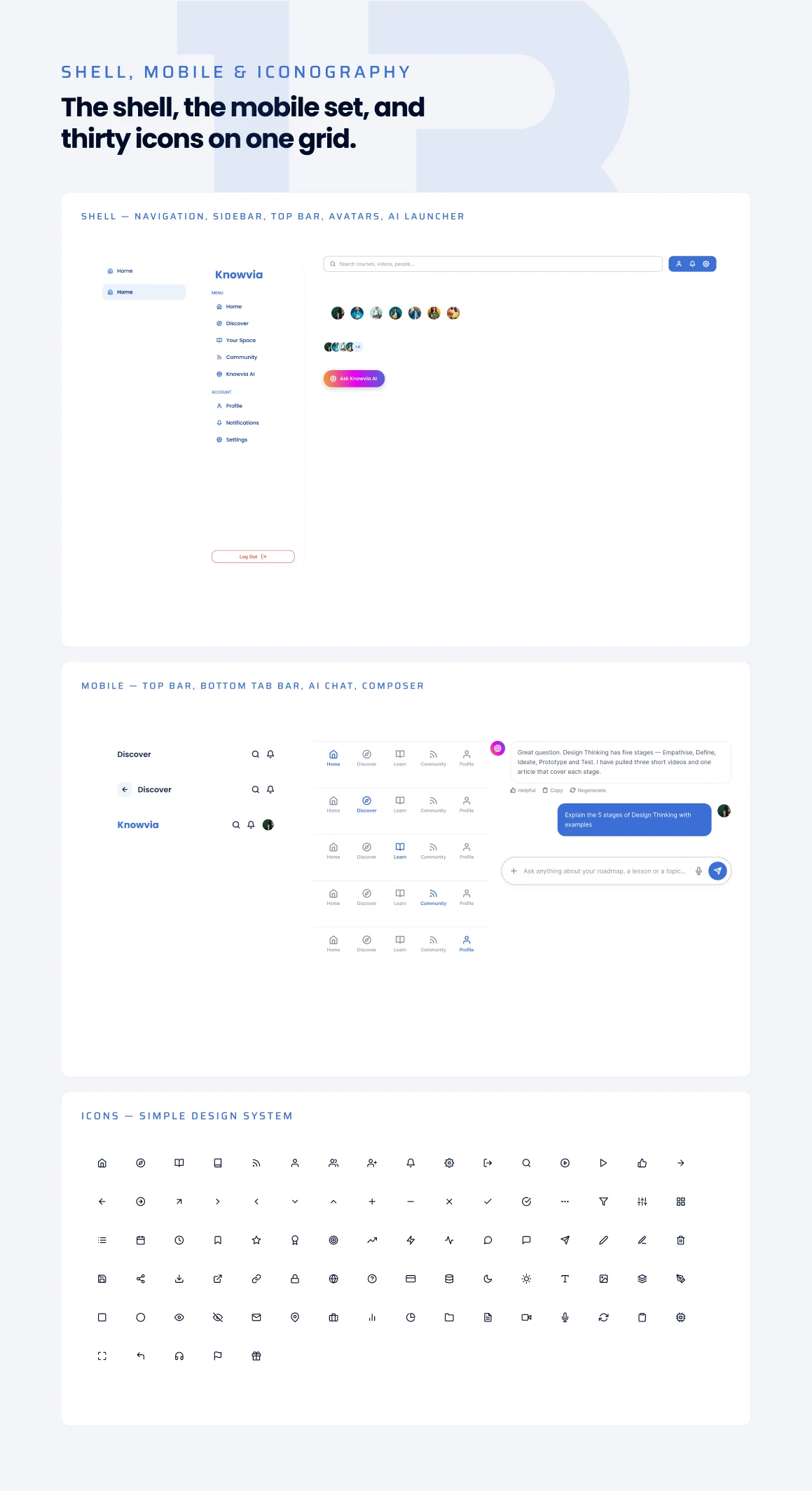
14/27 Shell, mobile & iconography
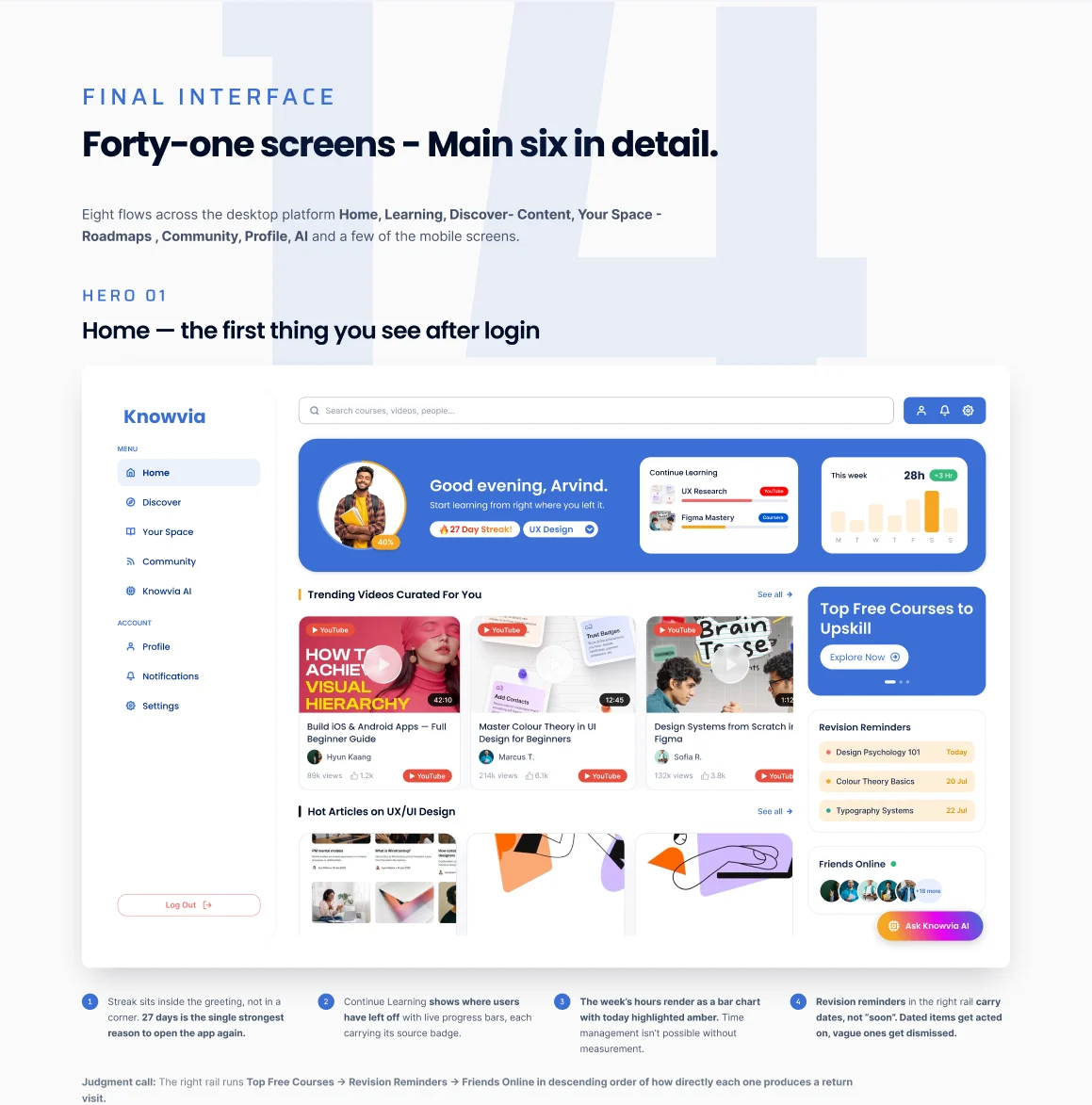
15/27 Final interface — Home
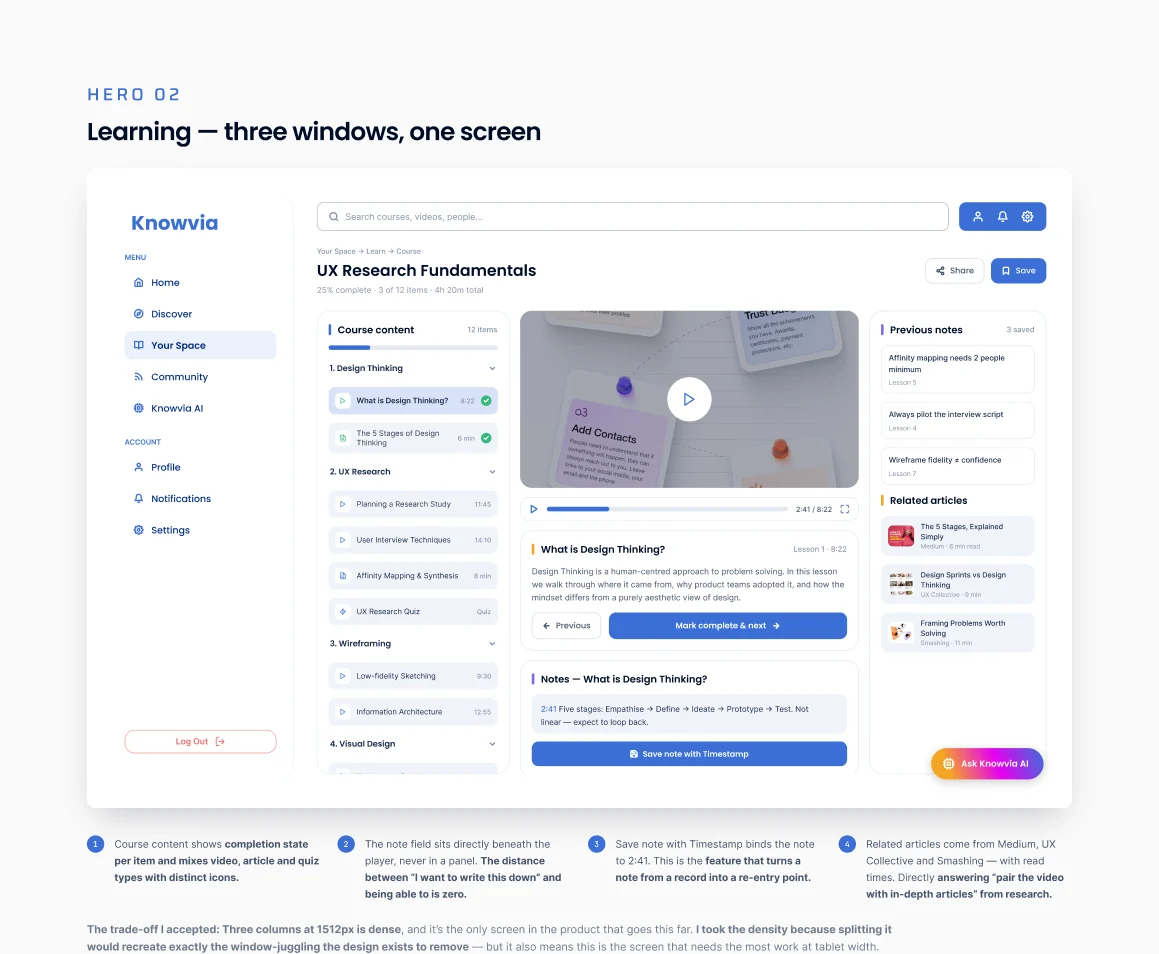
16/27 Learning — Three windows, one screen
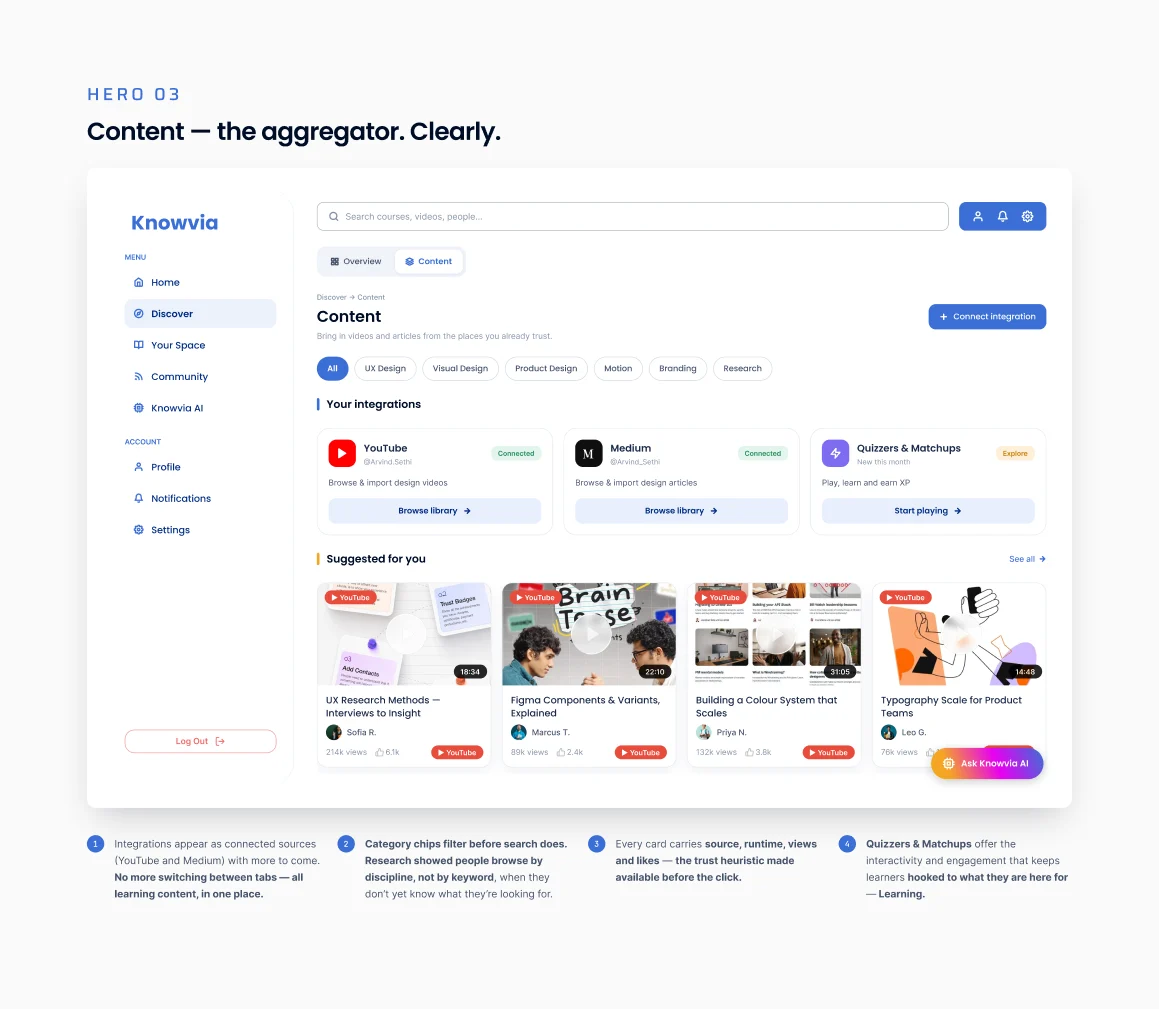
17/27 Content — The aggregator
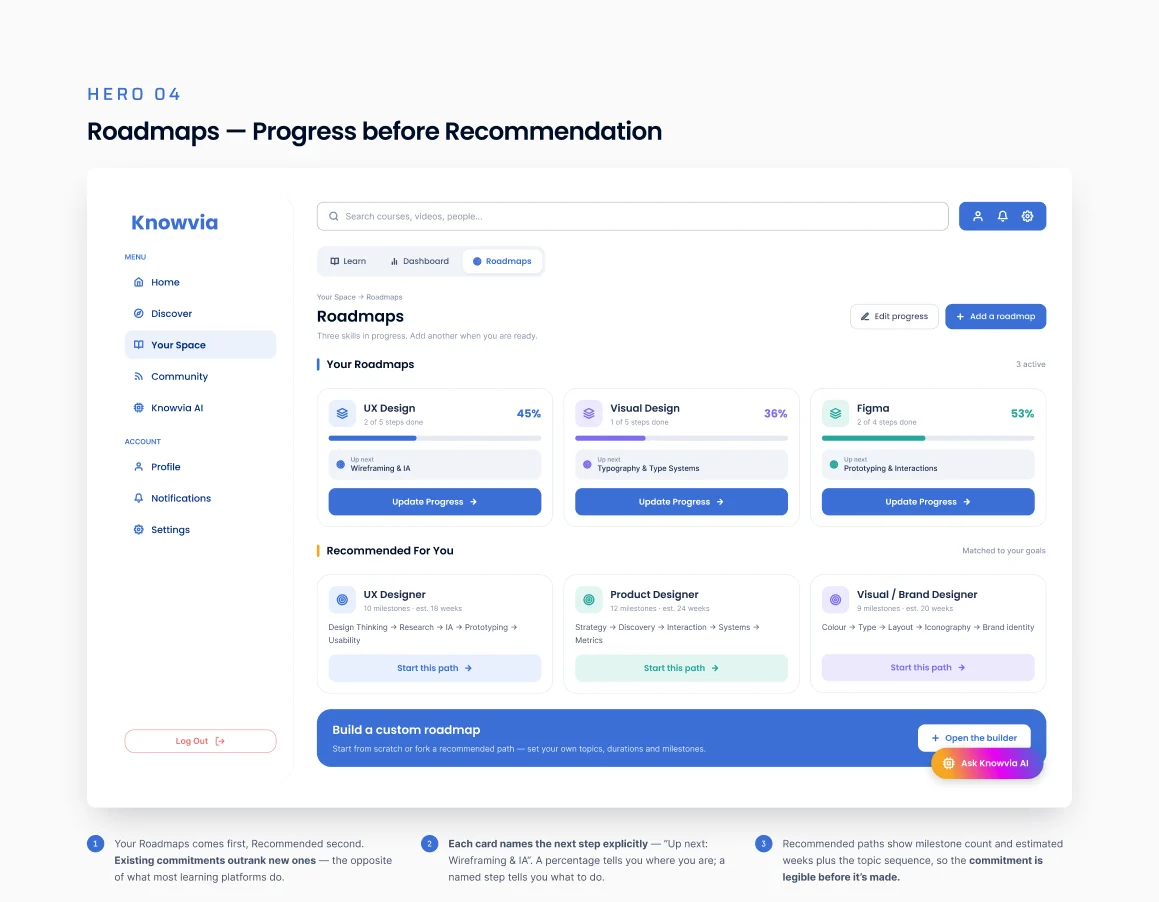
18/27 Roadmaps — Progress before recommendation
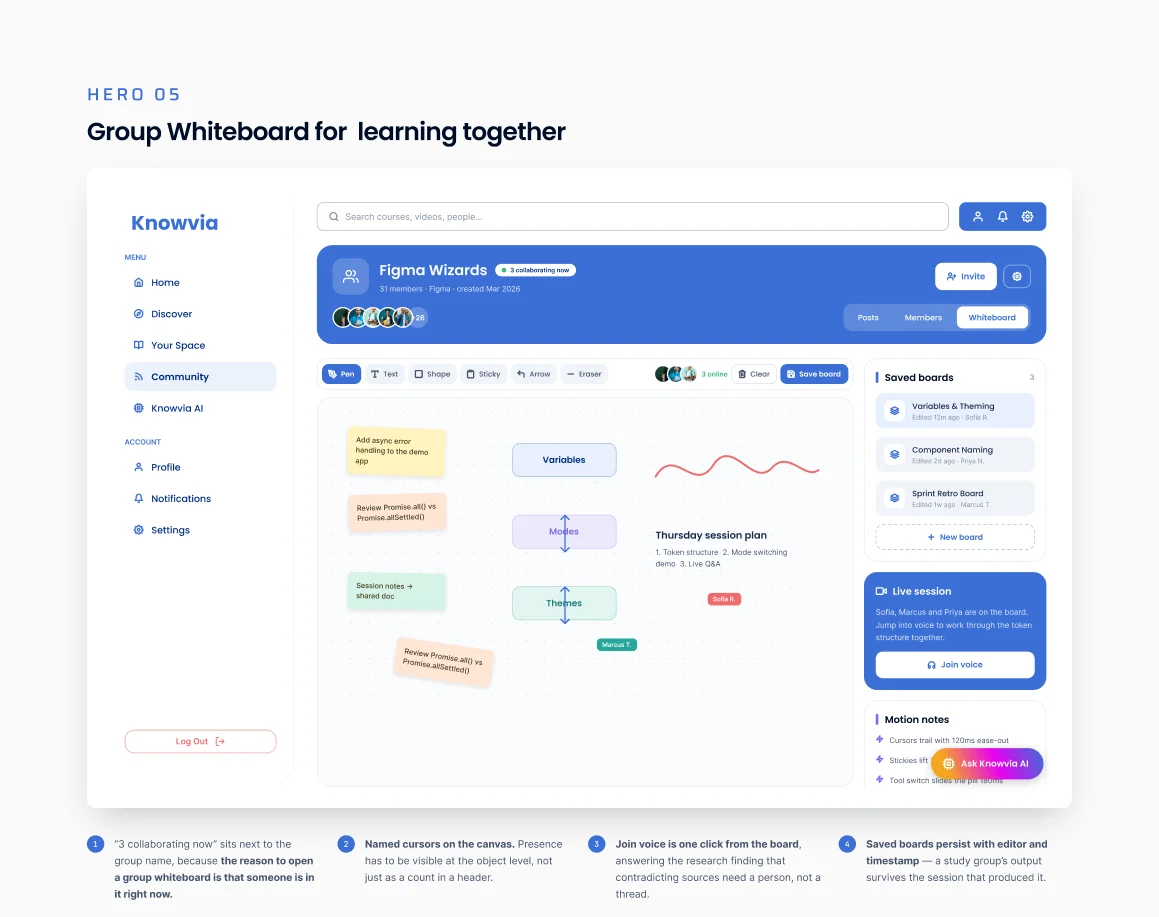
19/27 Group whiteboard
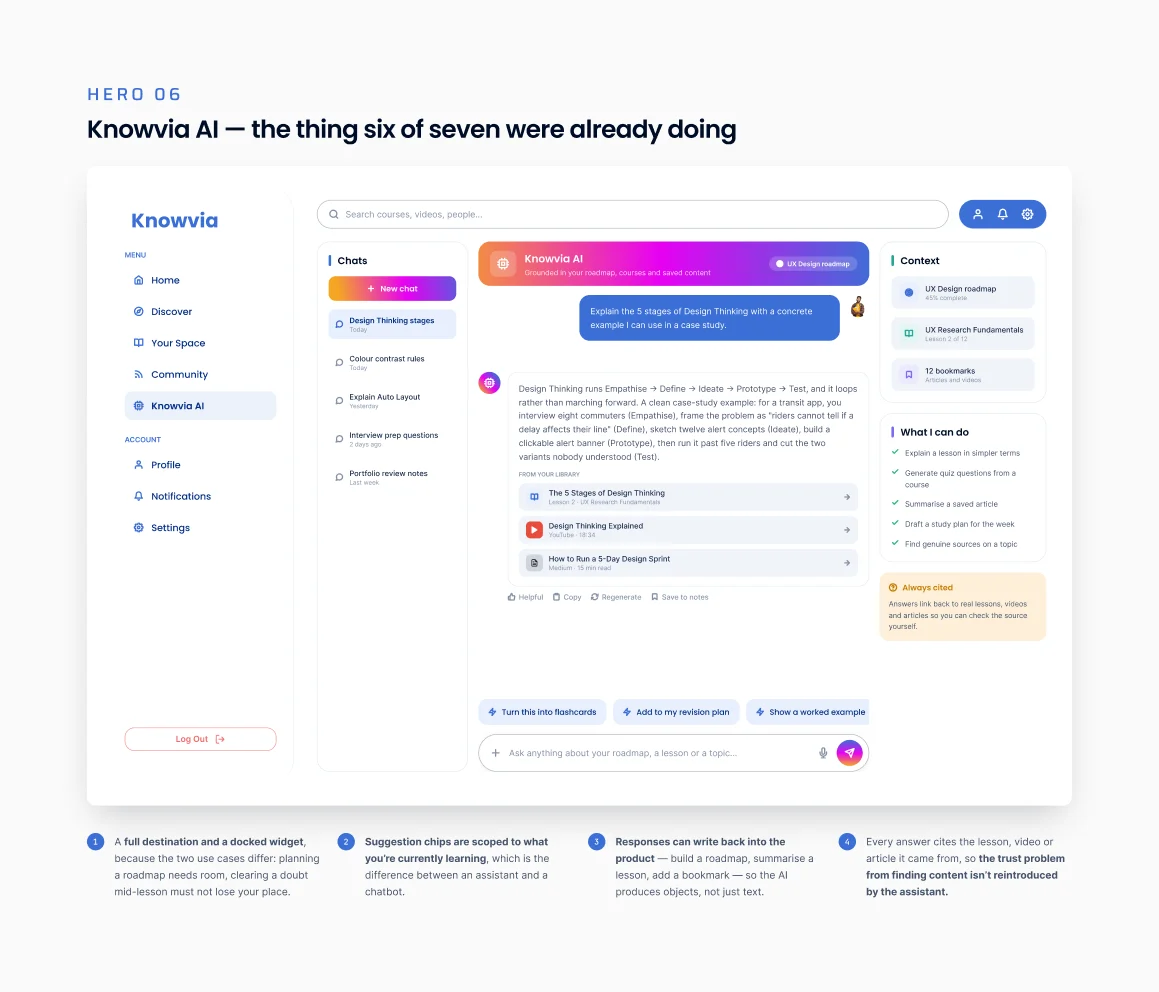
20/27 Knowvia AI
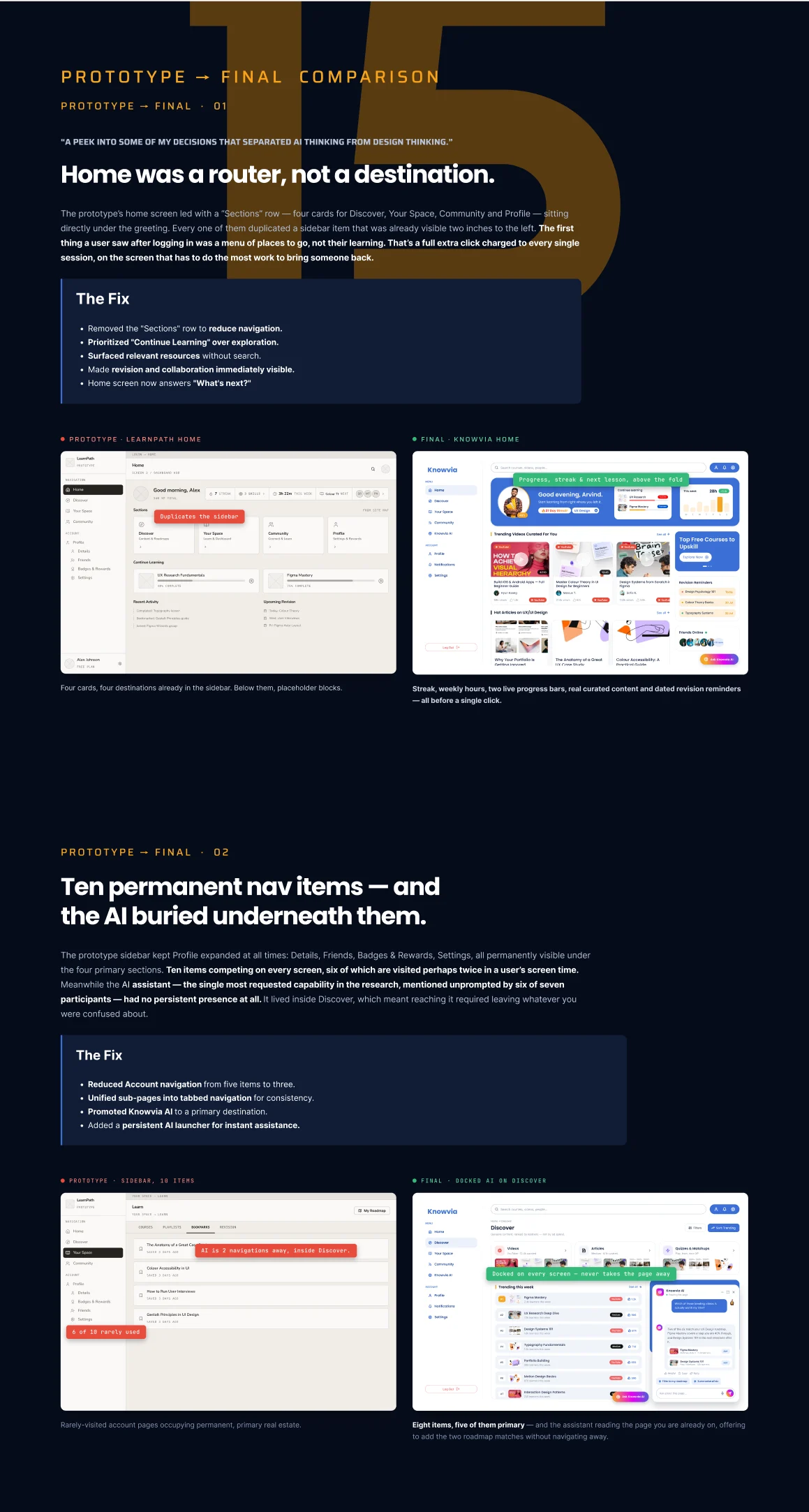
21/27 Prototype vs final
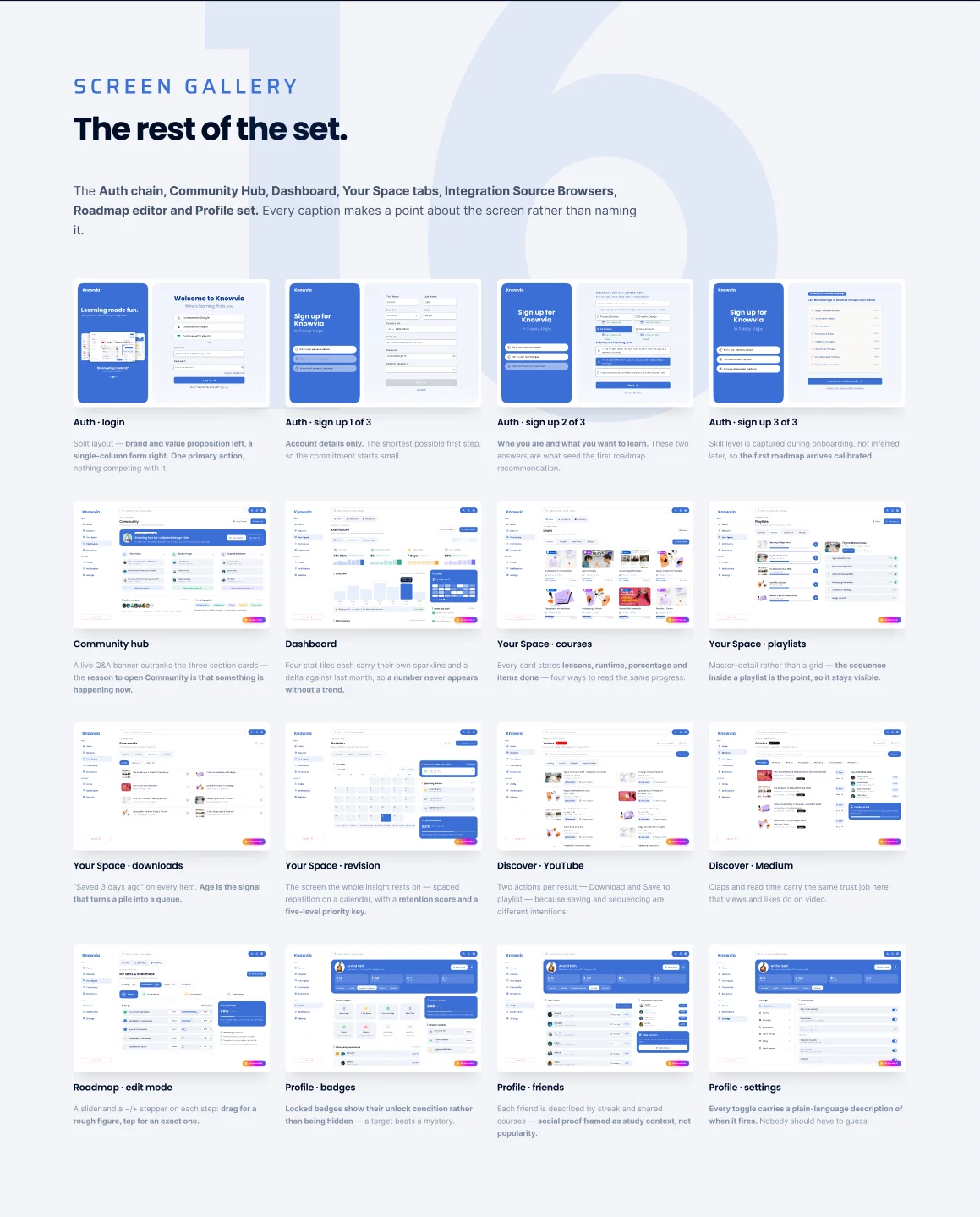
22/27 Screen gallery
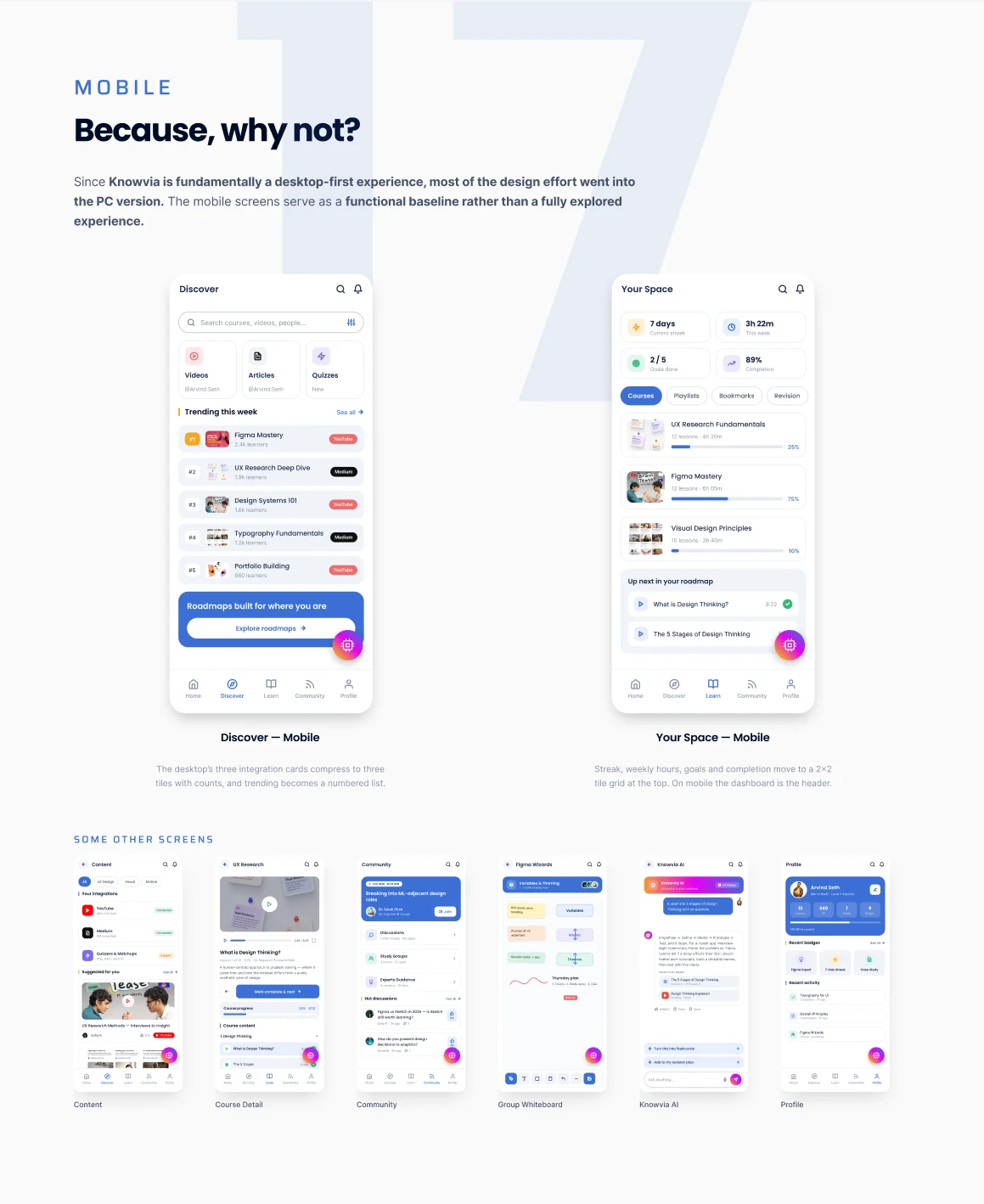
23/27 Mobile — Because, why not?
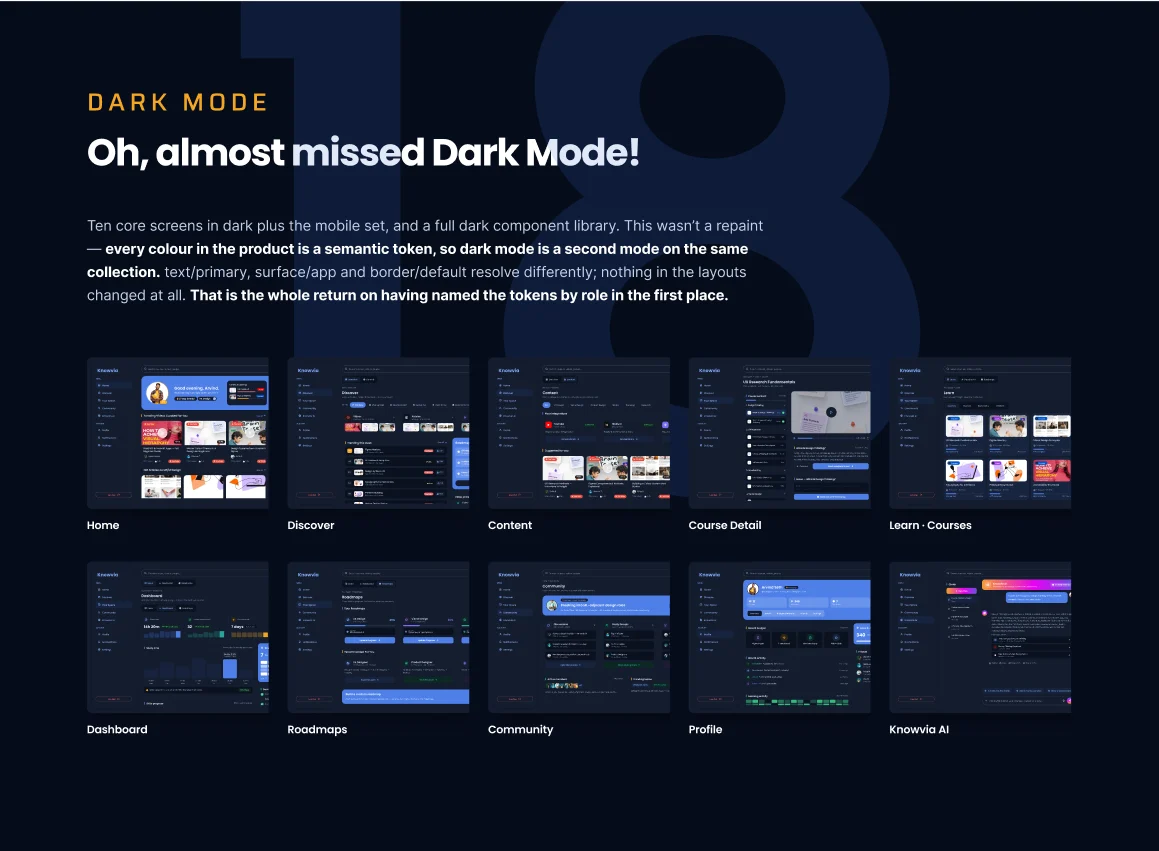
24/27 Dark mode
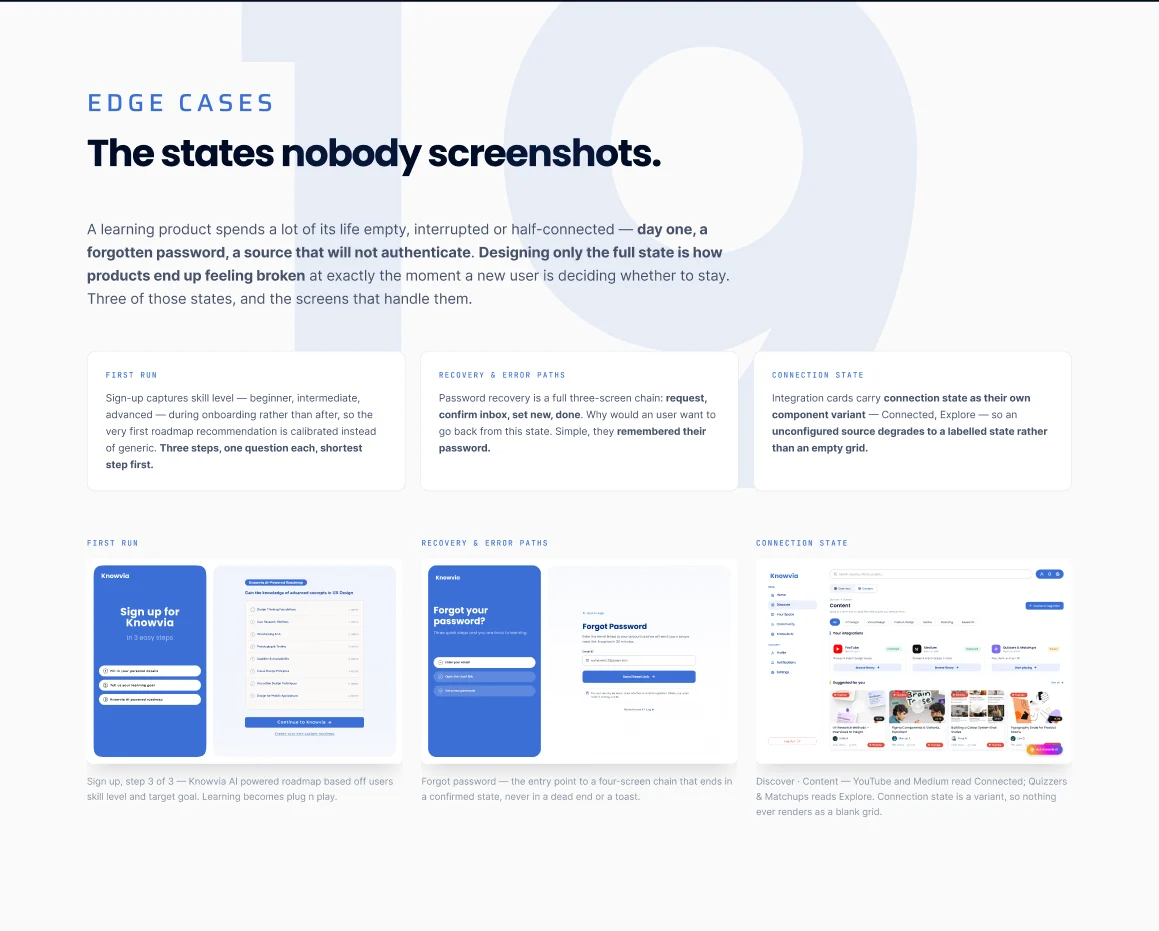
25/27 Edge cases — The states nobody screenshots
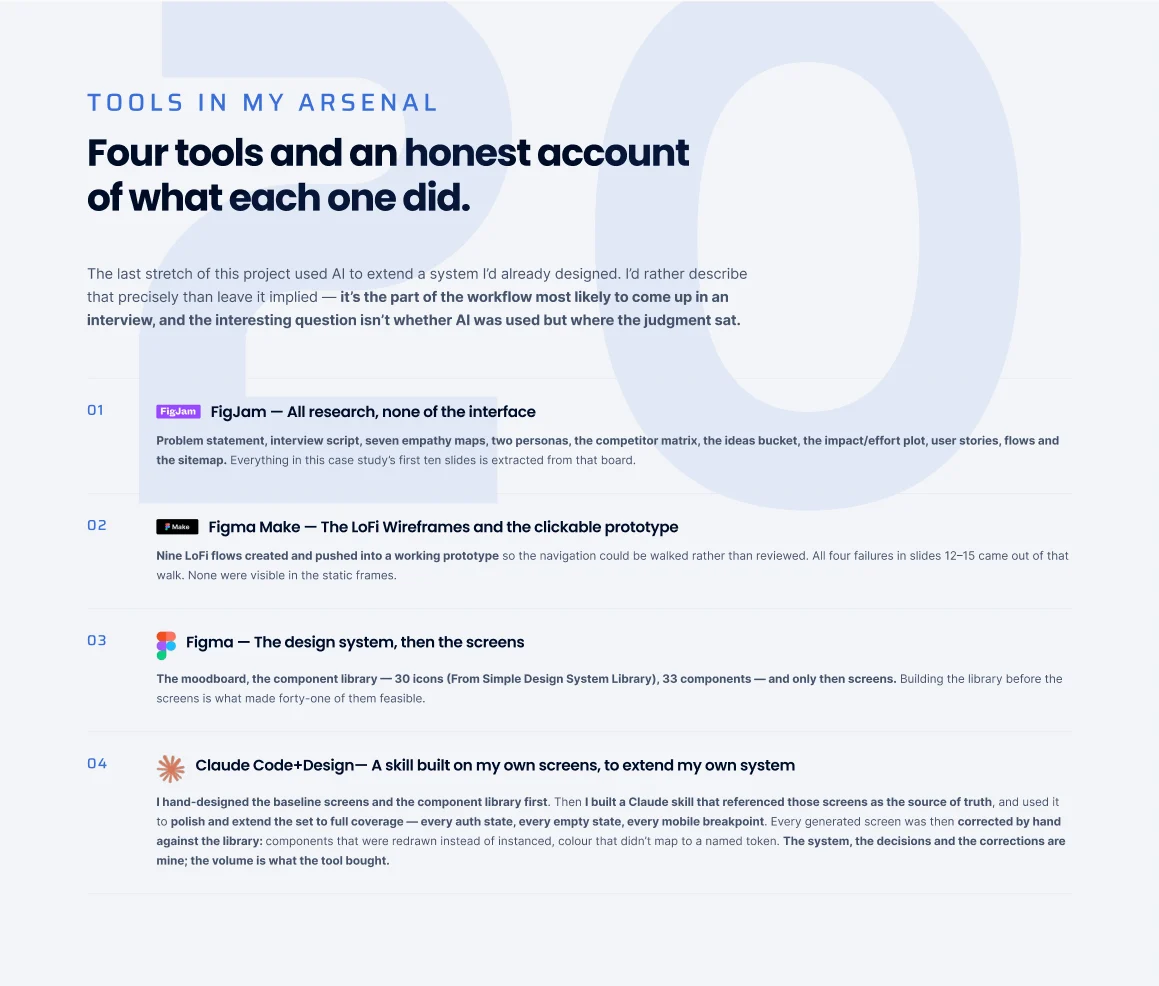
26/27 Tools — An honest account
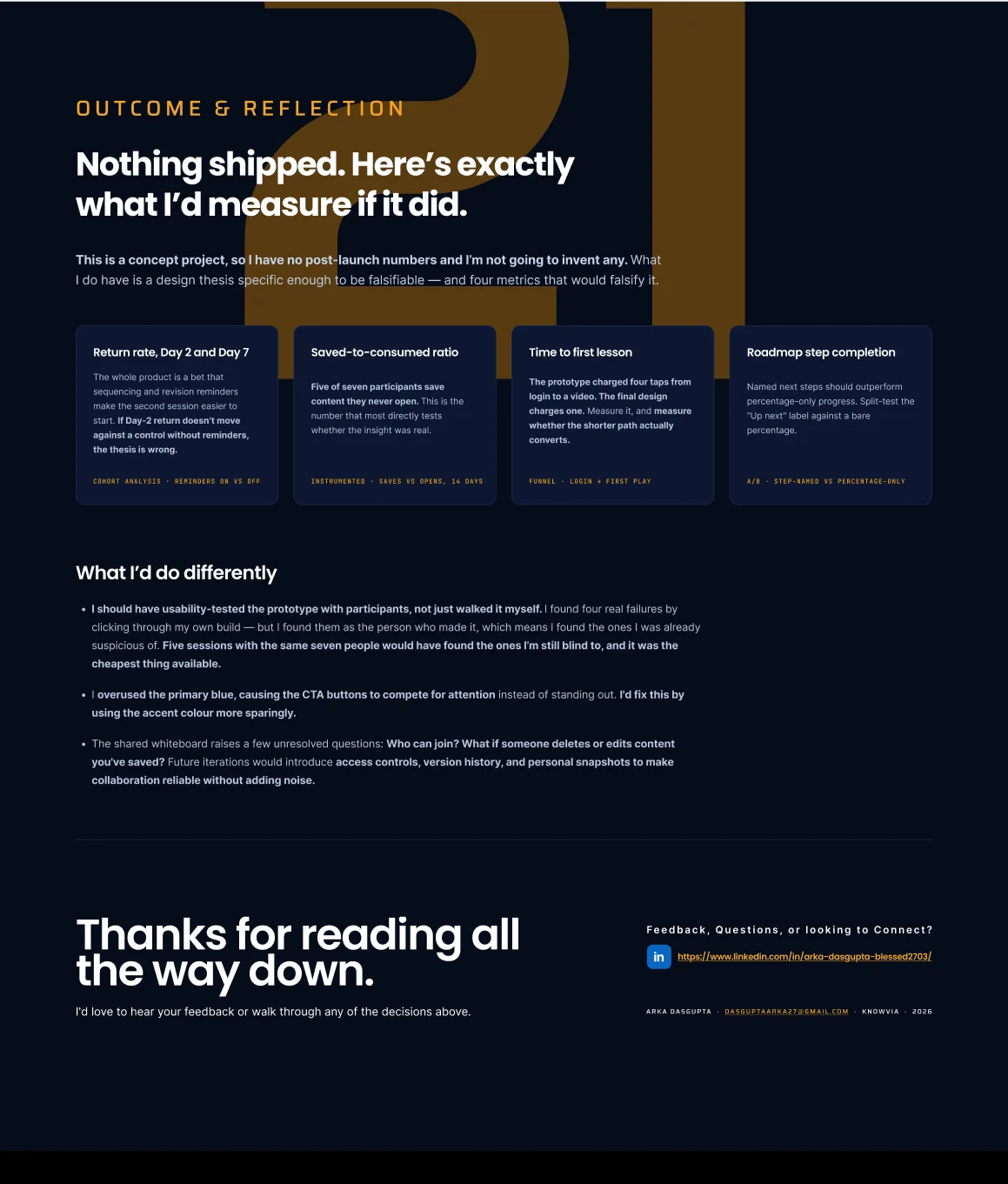
27/27 Outcome & reflection
Got something to build?